
- DATE:
- AUTHOR:
- The Sibme team
Copilot Home Comes to iOS and Android
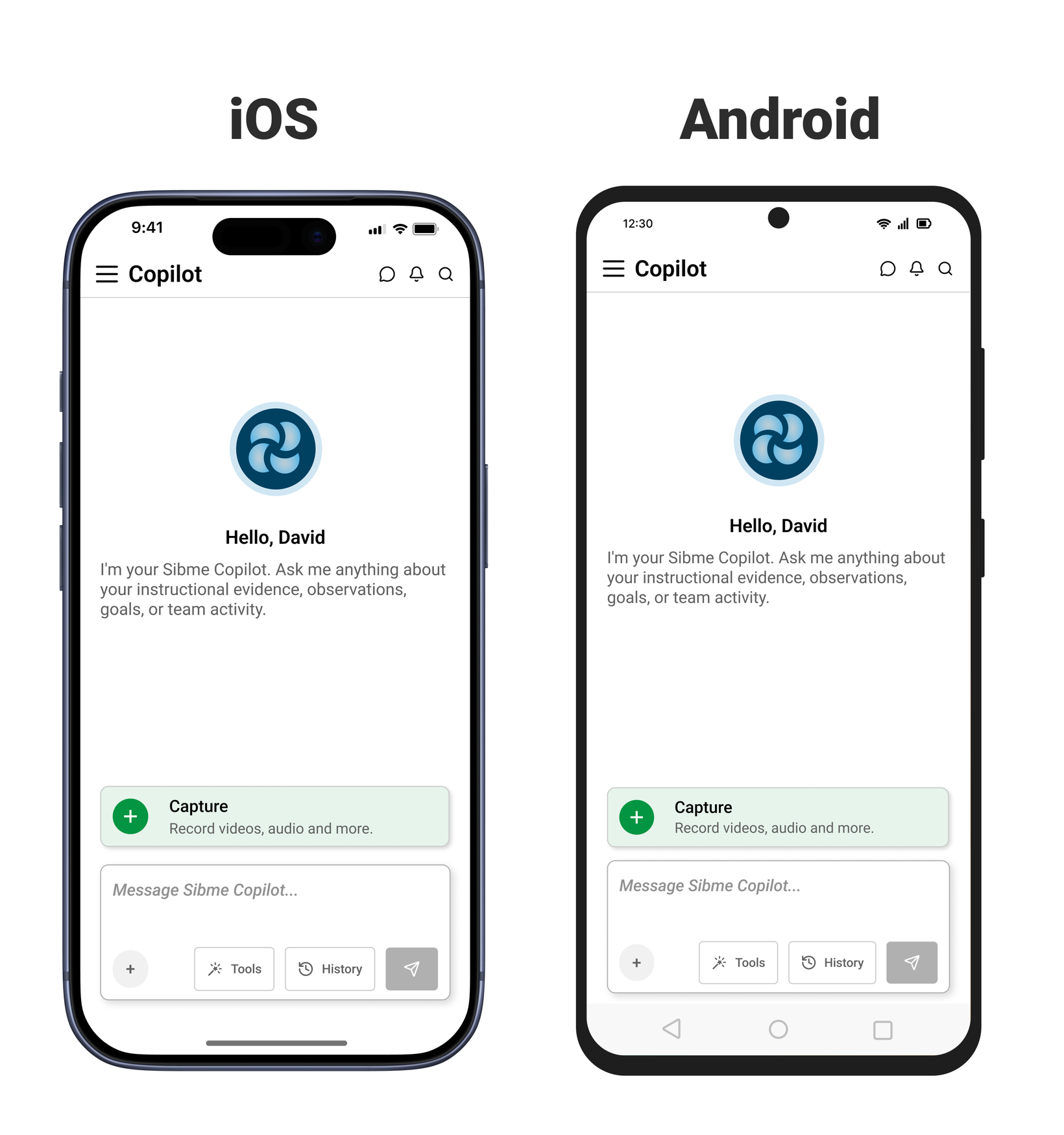
In July we rebuilt Copilot on the web. Now it's on your phone. Open the Sibme app and Copilot is the first thing you see, in the room where the teaching actually happens.
Most of the evidence worth capturing happens away from a desk. A walkthrough between classes. A conversation in the hallway after a lesson. This release puts the same Copilot you use on the web into the moment the evidence exists.
Copilot Home on Login
Sign in and Copilot is waiting. Ask a question, start a tool, or pick up where you left off. AI Tools and History sit one tap from the message box, same as the web.
Copilot Knows Where You Are
Copilot on mobile is platform aware, the same as on the web. It knows your huddles, your videos, your resources, and your reports, and it answers from what's actually in your account.
Open a recording, tap Ask Copilot about this Artifact, and the transcription, comments, framework, and AI reports come into context. Ask from the hallway and get an answer grounded in the lesson you just watched.
Capture and Make Sense in One Place
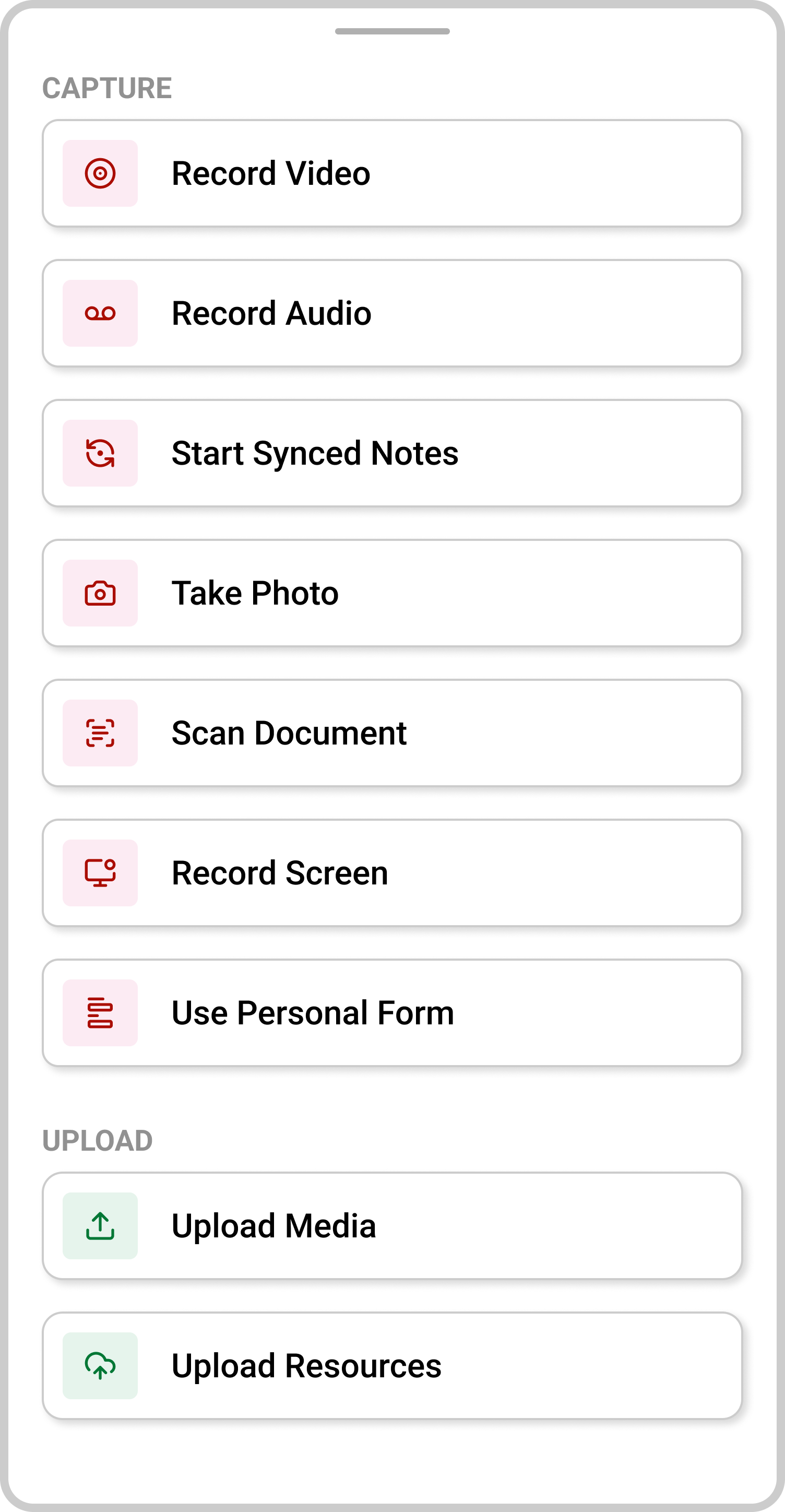
Record on your phone, upload, and ask Copilot what it sees. AI Insights runs on your own recordings, observation notes, and artifacts, with the moments cited so you can tap straight to them.
AI Tools in Your Pocket
Lesson planning, student feedback, family communication, and translation, all from the Copilot Home screen. No laptop required.
What's Coming
Synced Notes Redesign for Tablets. Split Screen
Curriculum-aware Copilot, this fall. Add your district's curriculum and Copilot's answers get tailored to what your teachers are actually teaching.
The machine remembers so you can think.